Download ConvertZen
Optimized for Mac. Native and lightweight.
Latest release
ConvertZen 1.0.1 · macOS
- Product details
- 1.0.1
- Latest release
- 95.0 MB
- Flexible
- Universal DMG
- Operating system
- macOS 12 Monterey or later
SHA-256: Published checksumsSystem requirements
macOS 12 Monterey or later
Required for downloading and using features
Published checksums
Review the published checksum, signer details, and any operating-system warning before installing.
Where can I install it?
Keep the default folder or choose another location during installation.
Responsible use notice
ConvertZen supports popular video and audio sources that allow personal offline saving.
Download ConvertZen · macOS
Follow each platform prompt carefully before opening the app.
- 01
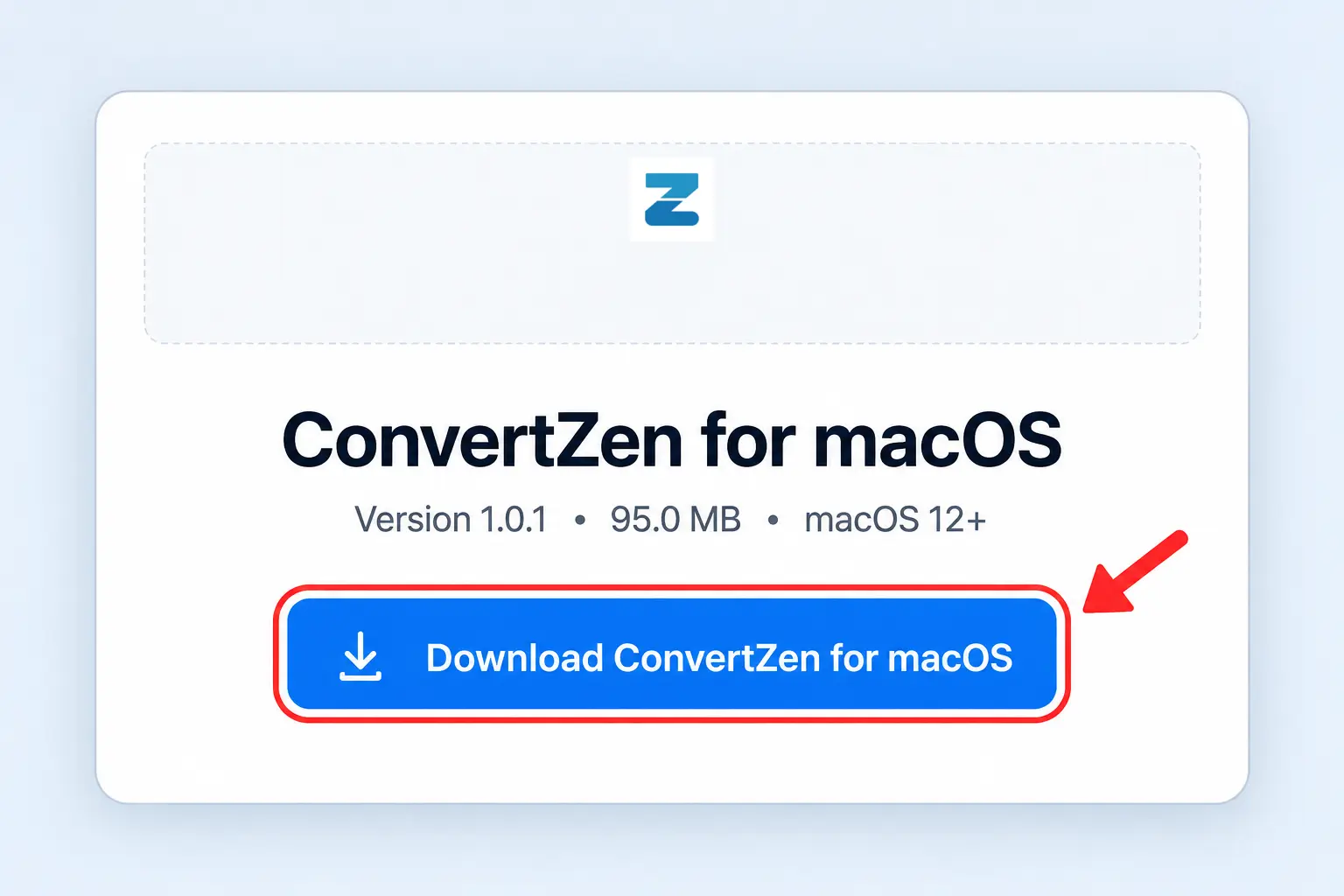
Download ConvertZen for macOS
Click the Download for macOS button to start downloading the official installer.
- 02
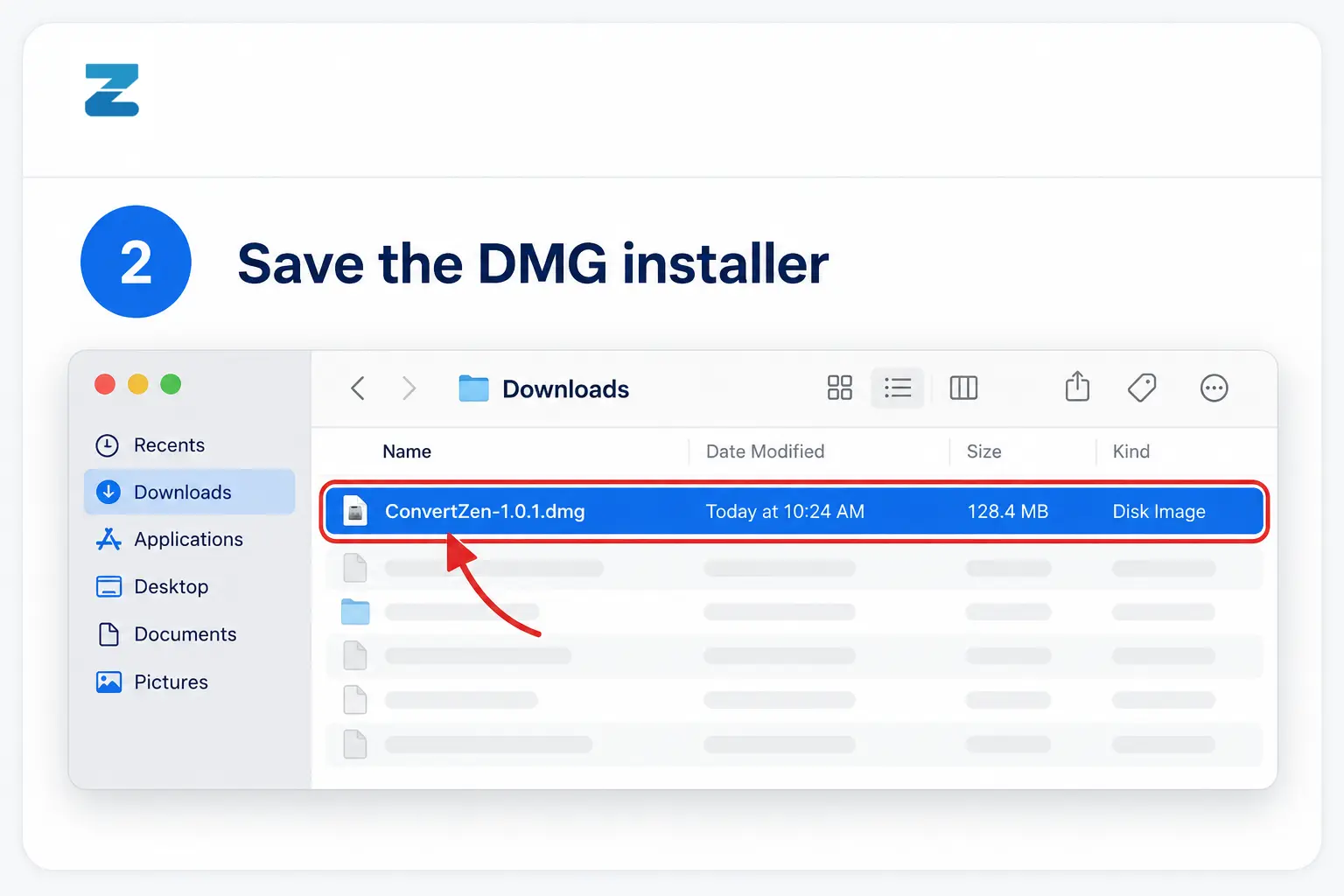
Save the DMG installer
Save the .dmg file in your Downloads folder and wait for the download to finish.
- 03
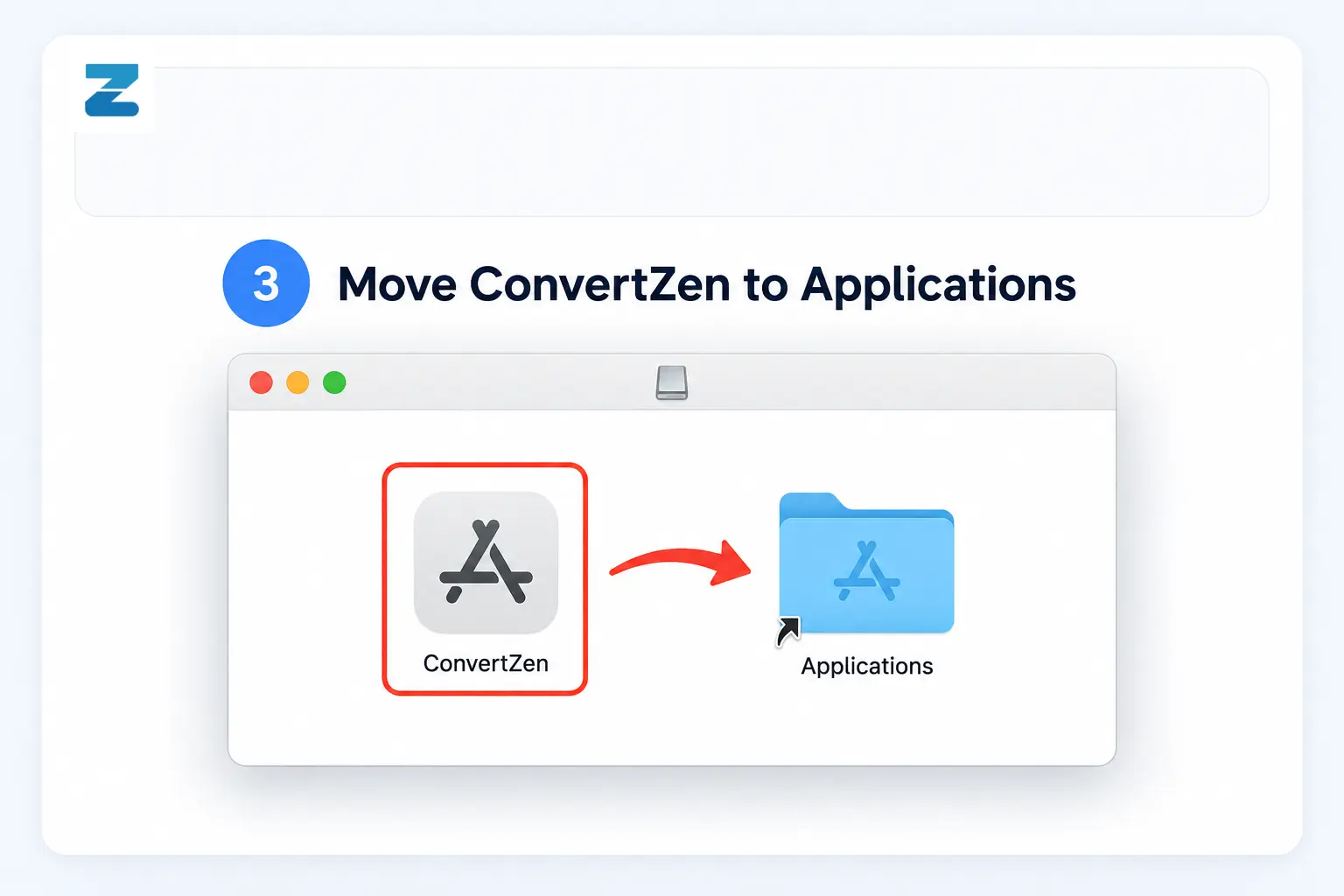
Move ConvertZen to Applications
Open the downloaded installer, then drag the ConvertZen icon into the Applications folder.
Frequently asked questions
Is ConvertZen safe?
Review the published checksum, signer details, and any operating-system warning before installing.
Where can I install it?
Keep the default folder or choose another location during installation.
Is checkout currently available?
Paid checkout has not yet been enabled on convertzen.net. Download only from the published platform links.
Need help?
Contact the support team if you have trouble installing the app.